You just need to fix what’s broken.
Every week, we walk into offices across Ohio, Michigan, Kentucky, Indiana, and Florida. Places like law firms, real estate agencies, veterinary clinics, and CPA practices. And more often than not, we find the same thing: frustrated staff, duct-taped workflows, and outdated tools creating chaos where there should be calm.
Let’s talk about two of the biggest time-wasters we see in small businesses every day.
They’re not glamorous.
They’re not sexy.
But they’re costing you hours , and you can fix them this week.
Problem 1: The Print–Scan–Rename–Email Disaster
Here’s what we watched happen in one office last month.
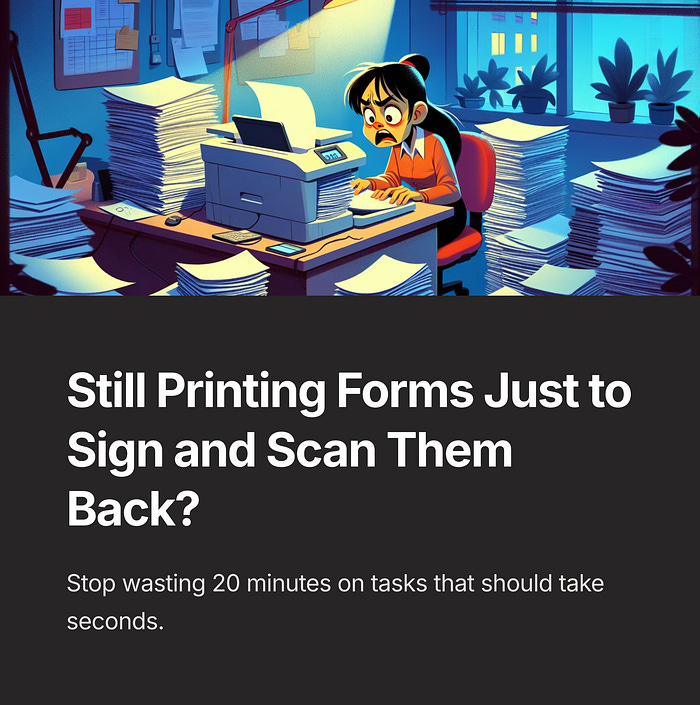
A front desk receptionist needed to send a signed client document. She printed the form, took it to her manager for a signature, scanned it back in, renamed the file manually, saved it to her desktop, opened her email, and attached the file.
The whole process took 19 minutes.
That same task happens dozens of times a week.
It’s not just tedious. It’s a silent time drain.
What We Did Instead
We helped this office implement a simple three-step fix:
Scan-to-Folder Shortcuts. Every staff member now has a shared drive with client folders. The scanner was set up to send files directly into the right folder with one tap.
File Auto-Naming . We added a barcode sticker to each client’s folder cover. When scanned, the file names itself. No typing needed.
Link, Don’t Attach. Instead of emailing bulky files as attachments, they now generate a secure link from Google Drive or Dropbox.
Total time saved per scan: 10 to 15 minutes.
Multiply that by 20 tasks a week, and you’ve got real hours back, and a much happier team.
Why This Matters
Most businesses don’t need a major system overhaul. They need workflow clarity.
They’re not lazy or behind. They’re just busy. When everyone’s rushing from one task to the next, no one has time to pause and ask, “Why are we still doing this the hard way?”
But here’s the truth, if your printer is smarter than your document system, something’s broken.
Problem 2: The Phone System That’s Failing You Quietly
Let’s move to another office — this time a law firm.
They had a VoIP system that looked modern on the surface. But behind the scenes, they were missing client calls. Voicemails weren’t getting returned. Staff had no idea who followed up or when. And when the phone rang after hours, it just rang out into the void.
No one was being careless.
The system just wasn’t set up to serve them properly.
What We Fixed
Again, this wasn’t about buying a new system. Here’s what we did:
Voicemail Transcription. Every voicemail is now transcribed and emailed to a shared inbox. No more listening to six messages to get one phone number.
Smart Routing. Calls after hours go to a backup line, not to nowhere. Calls during lunch reroute based on client type or urgency.
Call Logging . Every missed call is logged in a shared sheet. Everyone knows who called, when, and whether they were followed up.
This took less than an hour to set up.
Now their phones work like a team member, not a mystery box.
The Bigger Pattern
If you run a small business, your phone system and your document scanner are probably not the things you brag about.
But they are part of your brand.
Every time a client gets voicemail with no response, or waits three days for a scanned form, they notice.
And when your staff spends 10 extra minutes doing something that should take one, that’s energy lost, day after day after day.
Fixing these two areas doesn’t just save time. It removes stress, improves client experience, and gives your team the confidence that their tools have their back.
You Don’t Need Fancy Software to Start
People ask us all the time, “Do I need to switch systems to do this?”
The answer is almost always no.
We used the same scanner, the same VoIP hardware, and the same cloud storage tools they already had.
What changed was how they used them.
Sometimes the best upgrade is not a new tool. It’s using your current tools better.
The Future Is Smarter, But This Is Step One
At TechTide, we’re building tools like Ellie Cozy, a voice-powered receptionist that can answer calls, log appointments, and sync with your CRM automatically.
But even Ellie can’t help you if your voicemail system is broken and your documents are buried in a Downloads folder named “final3_thisone_USETHIS.pdf.”
That’s why we start here.
We believe in helping small teams fix what’s broken first — because that’s what earns trust. And because that’s where the biggest wins often are.
A Simple Invitation
No demo. No sales pitch.
But if this article hit a nerve, if you’re nodding along because your team is still printing, scanning, and renaming files by hand, or missing calls you didn’t even know came in, send a message.
We’ll send you two checklists:
• Ten scan workflows you can fix this week
• Ten phone system tweaks that take under an hour
They’re free. You don’t need to sign up for anything. Just message “Scan Fixes” or “VoIP Fixes” and we’ll share them.
Let’s start by making your current tools work for you.
You deserve less chaos, more time, and a team that feels supported, not stressed.
That’s what we’re building at TechTide. One simple fix at a time.